
- Actuators
- Adapters
- Air Blowers
- Air Conditioners
- Air Curtains
- Air Purifiers
- Anemometers
- Axial fans
- Ball Valves
- Belimo
- Blowers
- Brackets
- Brass
- Brazing Rods
- Capacitors
- Carrier Parts
- Clamp Meters
- Cleaning Products
- Coatings
- Compressors
- Condensate Pumps
- Connectors
- Contactors
- Copper Capillary
- Copper Coils
- Copper Straight Tubes
- Copper Strainers
Near Field Communication (NFC)

Near Field Communication (NFC)
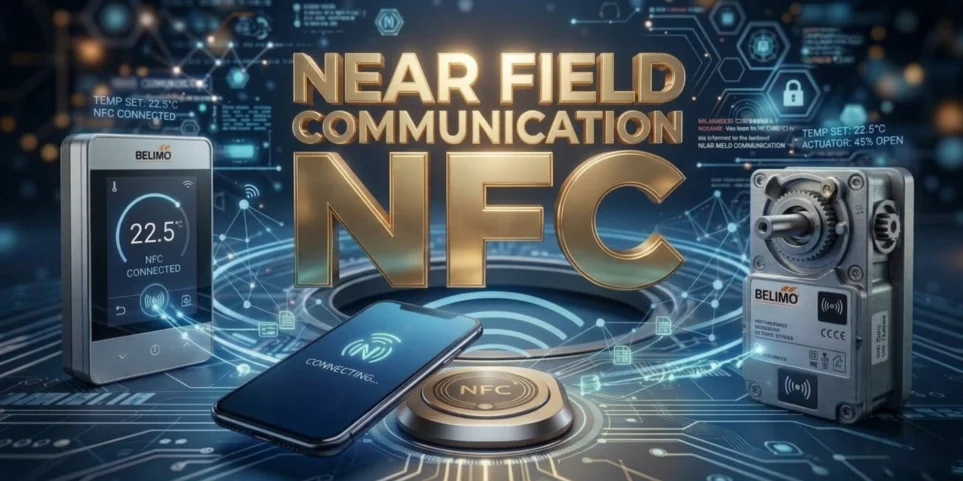
Near Field Communication (NFC) is a short-range wireless technology that allows electronic devices to communicate and share data with just a tap or by placing them very close together (typically within 4 cm or 1.5 inches). Operating at a radio frequency of 13.56 MHz, it is the underlying technology that powers everyday conveniences like contactless payments, digital wallets, and quick device pairing.
How NFC Works
NFC uses electromagnetic radio fields to transfer data. Devices communicate in three primary modes:
- Card Emulation: Your smartphone, wearable, or contactless card acts as a virtual IC card. This allows you to tap your phone at a checkout terminal to pay.
- Reader/Writer Mode: Your active device reads information from passive NFC tags or stickers (e.g., tapping a smart poster to open a website).
- Peer-to-Peer Mode: Two active NFC-enabled devices communicate directly to share data, such as photos, contacts, or digital business cards.
Common Uses
NFC is built into most modern smartphones, tablets, and smartwatches, and is widely used across multiple industries:
- Contactless Payments: Powers tap-to-pay services like Apple Pay and Google Wallet at retail checkouts.
- Public Transit: Used globally to pay for bus, train, and subway fares by tapping a phone or transit card at the turnstile.
- Access Control: Replaces traditional keys or badges with digital credentials for unlocking hotel doors, office buildings, or vehicles.
- Quick Pairing: Instantly connects accessories like Bluetooth headphones or portable speakers to your phone.
Key Benefits
- Convenience: Unlike Bluetooth or Wi-Fi, NFC requires no manual pairing, passwords, or complex setup.
- Security: Because of the extremely short transmission range, it is nearly impossible for unauthorized parties to intercept the data being transferred.
- Energy Efficiency: Passive NFC tags (like smart stickers) do not require their own power source; they harvest the tiny amount of energy they need from the active device reading them.
Did you know?
Belimo integrates Near Field Communication (NFC) into many of its HVAC field devices—such as actuators, sensors, and control valves—to simplify commissioning, parameterization, and troubleshooting.
By holding an NFC-enabled smartphone or device within 3 cm of the Belimo component, users can instantly communicate with the device.
Key Capabilities & Benefits
- Power-Free Access: The system uses electromagnetic induction to power the Belimo device’s NFC chip. This means you can read data, configure settings, or troubleshoot even when the device is completely powered off.
- Streamlined Workflow: Using the free Belimo Assistant App, technicians can easily set communication parameters, view current sensor values, and check target setpoints.
- Faster Troubleshooting: The app provides immediate access to warnings, error reports, and diagnostic parameters to quickly generate failure analyses.
- Simplified Commissioning: Settings such as opening angles for control valves or operating times can be quickly customized in the field without needing specialized handheld programming tools.
How to Use It
- Download the App: Install the Belimo Assistant App on your smartphone or tablet.
- Scan: Open the app and hold your mobile device close to the NFC symbol on the Belimo actuator or sensor.
- Configure: Once connected, you can view device information (like firmware version), adjust settings, or log commissioning values right from your screen.
If you are working with devices located in hard-to-reach places, Belimo also offers a Bluetooth-to-NFC converter (ZIP-BT-NFC).
This allows you to create a temporary Bluetooth connection between your smartphone and the actuator from a distance of up to 5 meters.